
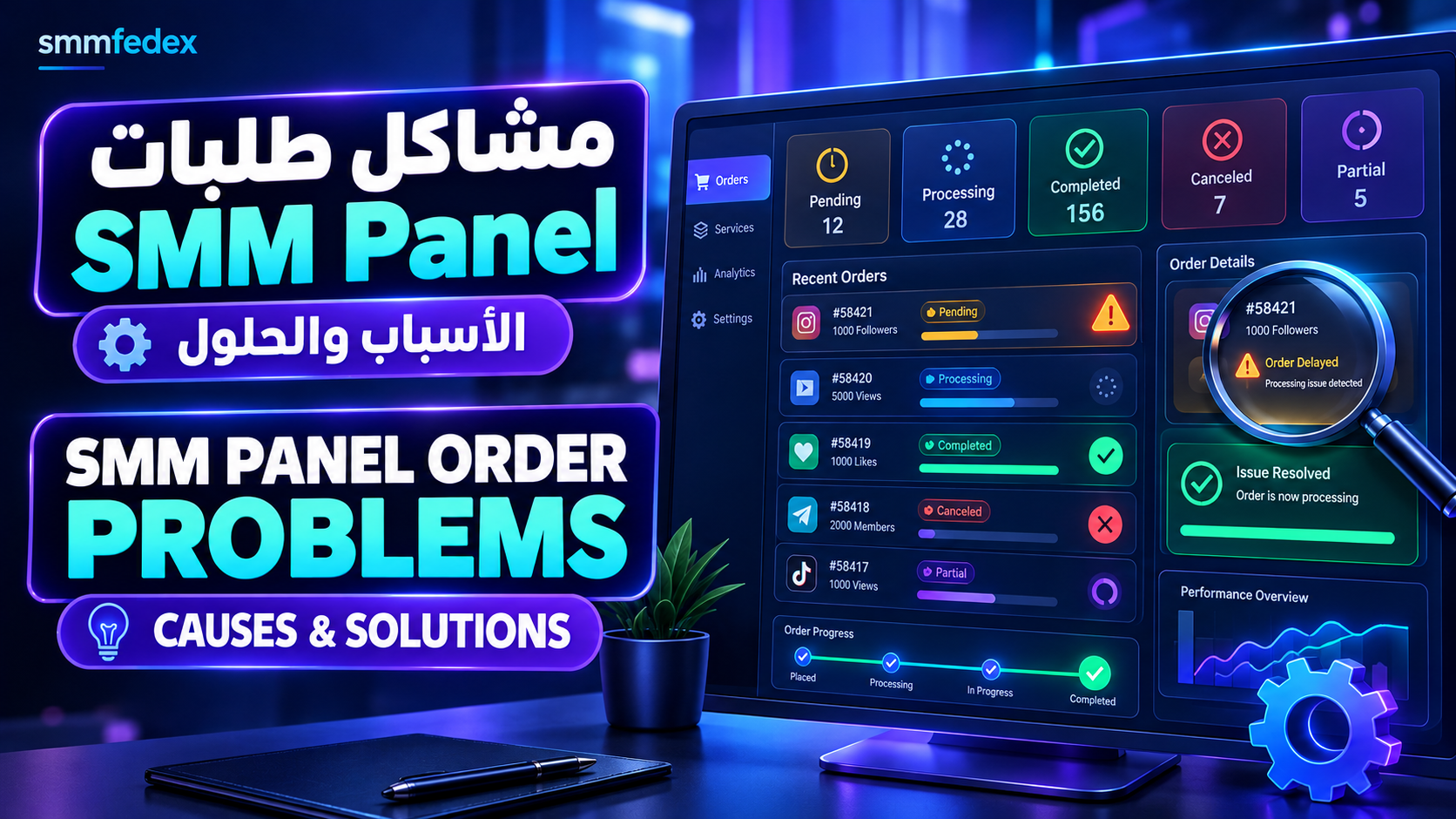
SMM Panel Order Problems: Common Causes and Practical Solutions
Order issues are among the most common challenges faced by SMM Panel users, resellers, and panel owners. An order may remain pending for hours, stay in processing without visible progress, get canceled, or show as completed even when the expected result is not fully visible.
Understanding why these issues happen helps you avoid duplicate orders, manage your balance more effectively, and provide a better customer experience.
In this guide, you will learn how to troubleshoot common SMM Panel order problems, understand order statuses, and determine the next step before submitting another order or contacting support.
What Are SMM Panel Order Problems?
An SMM Panel order problem occurs when an order does not progress as expected or its final result differs from what the user anticipated.
Common examples include:
Orders that remain pending for an extended period.
Orders stuck in processing.
Canceled or failed orders.
Partially completed orders.
Completed orders with results that appear incomplete.
Delayed status updates in the panel dashboard.
API requests that are accepted but do not progress as expected.
These issues do not always mean the panel itself is broken. The cause may involve the service provider, order details, platform restrictions, technical errors, or delays in status synchronization.
The first rule of troubleshooting is simple: check the current order status and details before submitting a replacement order.
1. Understanding Common SMM Panel Order Statuses
Order status names can vary between platforms, but the following definitions are common across many SMM Panel systems.
| Status | What It Usually Means | Recommended Action |
|---|---|---|
| Pending | The order is waiting to begin processing | Check the expected start time and order details |
| Processing | The order is being handled | Monitor progress and avoid duplicate submissions |
| In Progress | Execution has started but is not complete | Allow the expected processing time |
| Completed | The panel has marked the order as finished | Verify the result if something appears incorrect |
| Partial | Only part of the requested quantity was completed | Check the delivered quantity and any returned balance |
| Canceled | The order was canceled | Review the reason and balance transaction |
| Failed | The system could not complete the order | Check the error details and service requirements |
A status is a useful starting point, but it does not always explain the underlying cause. Check the order details and the provider's policies before deciding what to do next.
2. Why Is My SMM Panel Order Stuck on Pending?
A Pending status usually means that the order has not started processing. The reason can differ depending on the service and the panel's order system.
Common causes
Provider queue delays
The service provider may be handling a high volume of orders, causing a delay before new requests begin.
Temporary service unavailability
A service may be paused for maintenance, unavailable at the source, or temporarily unable to accept new orders.
Order processing errors
A technical issue may prevent the request from moving from the panel to the service provider.
Service-specific requirements
Some services have conditions that must be satisfied before processing can begin.
How to troubleshoot a pending order
Check the expected start time, if the service description provides one.
Open the order details and look for an error message.
Check for service announcements or maintenance notices.
Contact support if the order exceeds its normal waiting period.
Avoid placing another order for the same purpose until you know what happened to the first one.
A pending order is not necessarily a failed order. Give it reasonable time based on the service's stated expectations before taking further action.
3. Why Is My SMM Panel Order Stuck on Processing?
A Processing status generally means that the order has entered the execution stage. However, this does not guarantee that the result will appear immediately.
Possible causes include:
Slow execution by the service provider.
A backlog of existing orders.
Delayed updates between the provider and the panel.
A delay before the result becomes visible on the target platform.
Temporary technical problems affecting the service.
What should you do?
First, compare the elapsed time with the service's expected processing period. Then review the order details and check whether the status or result has changed.
If the order remains unchanged beyond the normal timeframe, contact support with the order ID, creation time, current status, and a concise description of the problem.
Do not assume that every slow order has failed. A delay alone is not enough to determine whether an order will complete.
4. Why Do SMM Panel Orders Get Canceled?
An SMM Panel order may be canceled for several reasons, including:
An invalid or unsupported link.
A mismatch between the selected service and the submitted URL.
Service requirements that have not been met.
Temporary service unavailability.
Provider-side restrictions or rejection.
A technical error during processing.
How to resolve a canceled order
Step 1: Check the cancellation reason.
Open the order details and review any available error message.
Step 2: Verify the order information.
Check the URL, quantity, selected service, and any service-specific requirements.
Step 3: Review your balance.
Some panels automatically return the applicable balance after cancellation, while other situations may require support assistance.
Step 4: Fix the underlying issue.
Do not submit a replacement order until you have addressed the likely cause and confirmed that the original order will not continue processing.
If cancellations repeatedly affect the same service, investigate the service or provider rather than treating every order as an isolated problem.
5. What If an SMM Panel Order Says Completed but Nothing Happened?
A Completed status generally means that the panel has recorded the order as finished. It does not independently prove that the actual result matches every customer expectation.
Possible explanations include:
A delay between the status update and the visible result.
Changes to the account or content after the order was submitted.
A mismatch between the service and the submitted link.
Differences between the provider's completion criteria and the result the user observes.
A technical issue with status reporting.
How to investigate the issue
Confirm that you are checking the correct account, post, or URL.
Review the service description and the original order quantity.
Check the actual result rather than relying on the status alone.
Record the order ID and the times when it was created and completed.
Contact support if the recorded status clearly differs from the observable result.
If the service offers a refill, replacement, or compensation policy, review its exact terms before opening a request. Such policies do not necessarily apply to every service or situation.
6. What Does Partial Mean in an SMM Panel?
A Partial status usually indicates that only part of the requested order was completed.
For example, a user may submit an order for 1,000 units, while the system records only 700 as delivered. Depending on the panel's workflow, the order may then be marked Partial.
This can happen when execution stops before the full quantity is delivered, the provider cannot supply the remaining amount, or a service restriction prevents completion.
What should you check?
The original requested quantity.
The quantity actually delivered.
Any balance returned to your account.
The service's policy for partial orders.
Whether further processing or a support review is available.
Do not assume that the remaining balance will always be refunded in the same way. Check the order record and the panel's stated policy.
7. Why Does an Order Fail Even When the Link Is Correct?
A valid URL does not automatically guarantee successful processing. The selected service may support only certain types of links, accounts, or content.
Possible causes include:
Choosing a service that does not match the submitted URL.
A link that the provider cannot access.
Changes to the account or content after the order was placed.
Unmet service requirements.
Incompatibility between the service and the current account or post status.
To reduce these problems, read the full service description before placing an order. Confirm that the link meets the stated requirements, and ask support for clarification if anything is unclear.
8. Can Duplicate Orders Cause Problems?
Yes. Submitting a replacement order before checking the original one can create overlapping requests, unintended results, and unnecessary costs.
For example, imagine that your first order is still processing. If you submit a second order for the same quantity, both orders may eventually execute. You could receive more than intended and pay for both requests.
To avoid duplicate-order problems:
Check the current status before resubmitting.
Do not treat a short delay as proof of failure.
Contact support when the order's status is unclear.
Keep the order IDs for tracking and reference.
Avoid placing another order for the same purpose until the first order's outcome is confirmed.
A simple order-tracking process can prevent many avoidable support requests and billing issues.
9. How to Troubleshoot SMM Panel API Order Problems
When an SMM Panel is connected to an external website or application through an API, additional technical issues may affect order processing.
Common causes include:
An invalid or inactive API key.
An incorrect service ID.
Invalid request parameters or formatting.
Insufficient account balance.
API usage limits being exceeded.
Temporary connection failures or slow responses.
A successful request submission followed by a failure to synchronize the order status.
API troubleshooting checklist
Review the error message returned by the API.
Verify the API key and service ID.
Confirm that the account has sufficient balance.
Check the request format against the panel's official API documentation.
Distinguish between successful request submission and successful order completion.
Store the external order ID so that the order can be tracked later.
Avoid automatic retries that may create duplicate orders after a connection timeout.
For automated systems, logging request times, order IDs, responses, and errors makes it easier to identify the source of a problem.
If you need a broader explanation of API integration, see our related guide on SMM Panel API and order automation.
10. How SMM Panel Owners Can Reduce Order Failures
If you operate an SMM Panel or resell social media services, solving order problems requires more than replying to customer complaints. You also need a consistent process for monitoring services and providers.
Test services before offering them widely
Evaluate new services with appropriate test orders and according to their stated terms. Monitor quality, processing time, and reliability before relying on them for a large volume of customer orders.
Track cancellations and delays
Record canceled, partial, failed, and delayed orders for each service. Reviewing these patterns over time can help identify recurring problems.
Maintain an order log
Keep useful information such as:
Order ID.
Service name and ID.
Order creation time.
Current and previous statuses.
Error messages.
Support actions and outcomes.
Evaluate providers beyond price
Compare service quality, reliability, compensation policies, API stability, and support availability. The lowest price is not always the best option if frequent failures create additional costs.
Set clear customer expectations
Explain what each service offers, its expected processing time, and how customers can report a problem. Avoid promising results that depend on third-party systems you cannot control.
Plan for provider-related risks
Having evaluated alternatives may help reduce dependence on a single service. However, do not automatically redirect an order to another provider until you have confirmed the original order's status and prevented duplicate execution.
11. A Support Message Template for Failed Orders
When contacting support, include enough information for the team to investigate the issue without repeatedly asking for basic details.
You can adapt this template:
Subject: Request to Review SMM Panel Order Status
Hello,
I would like assistance with the following order:
Order ID: [Order ID]
Service name: [Service name]
Order creation date and time: [Date and time]
Current status: [Current status]
Issue: [Brief description of the problem]
I have reviewed the order details, but the issue remains unresolved. Could you please check the execution status, explain the cause, and advise what action is available under the service policy?
Thank you.
Replace the bracketed fields with your actual order information before sending the message.
12. Checklist Before Submitting a Replacement Order
Before placing another order because an earlier one appears unsuccessful, review the following checklist:
I checked the current order status.
I reviewed the service description and requirements.
I verified the URL and submitted order details.
I confirmed that another order for the same purpose is not still processing.
I checked my balance and any refund or credit transaction.
I contacted support if the delay exceeded the expected period or an error appeared.
I confirmed that a replacement order will not cause unintended duplication.
These steps can help reduce avoidable errors, unnecessary spending, and confusion when managing multiple orders.
Frequently Asked Questions About SMM Panel Order Problems
Why is my SMM Panel order still pending?
A pending order may be waiting in the provider's queue, affected by temporary service unavailability, or blocked by a processing issue. Review the expected start time and order details, then contact support if the delay becomes unusual.
What should I do if my SMM Panel order is canceled?
Check the cancellation reason, verify the submitted information, and review your balance. Correct the underlying issue before placing another order, and confirm that the original order will not resume processing.
Does Completed mean that an order was fully successful?
It usually means the panel has recorded the order as completed. If the visible result does not match the expected outcome, review the service requirements and order details, then contact support when appropriate.
Will I get my balance back if an order fails?
That depends on the panel's system, the order status, and the applicable service policy. Check your balance history and order details before assuming that a refund or credit has been processed.
How can I tell whether the problem is with the provider or the panel?
Review the error message, compare the panel's status with any available provider information, and check whether the same issue repeatedly affects the service. Reliable diagnosis requires actual order details; the status alone may not identify the responsible system.
Should I place another order if the first one is delayed?
Not automatically. Check whether the first order is still processing. Submitting a replacement without confirming its status may lead to duplicate execution or additional charges.
Why do API orders fail even when the API connection works?
A working API connection does not guarantee that every order is valid or executable. Incorrect service IDs, invalid parameters, insufficient balance, service restrictions, or provider-side errors can still prevent an order from completing.
Conclusion
SMM Panel order problems can have several different causes, so the right solution depends on the current status, order details, service requirements, and provider response.
Whether you are an individual user, a reseller, or a panel owner, checking the order before resubmitting it, documenting errors, and following a consistent troubleshooting process can help reduce unnecessary costs and improve order management.
For more practical guides on SMM Panels, API integration, reseller models, pricing, and provider selection, explore the educational resources available on smmfedex.com.